WinDVR download WinDVR

Download, software, drivers, games


Software / Multimedia / Movie Creation and Authoring

WinDVR 3

Author WinDVR 3:
InterVideo
License:
Trial

Date added:
29.11.2006
Data updated to version 3:
04.12.2006
Have you found new version? Let us know!

Description WinDVR 3:
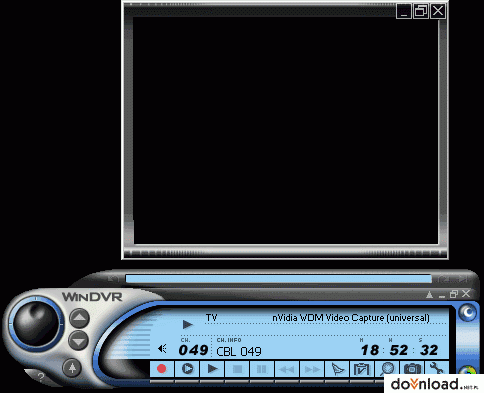
WinDVR provides a convenient way to watch and record TV or video on your personal computer. WinDVR is a software-only product that allows you to preview TV programs from a TV tuner source and encode it into MPEG-2 video format in real-time.

A multiple video preview window supports channel surfing and TV control capabilities, while easy-to-use video quality controls simplify the recording process.

WinDVR lets you set up a sleep timer in case you doze off watching TV. Set up WinDVR to turn off automatically after 30, 60, 90 or 120 minutes

WinDVR's Task Manager is like having a personal TV assistant. The Task Manager handles the scheduling of programs you want to record, manages lists of files to be burned to disc and performs off-line transcoding jobs

WinDVR lets you capture your favorite screen shots from any program you are watching. The shots are saved as a digital picture (Bitmap file) and stored on your hard drive.

Here are some key features of "WinDVR":

Authoring:
· Record from a digital video, a TV tuner or a capture card and then encode it to MPEG-2 video format.
· Author your own VCD, SVCD and DVD videos. You can also create CD-R/W, DVD-R/W, DVD+RW and DVD-RAM discs.
· Transcode - Convert MPEG files to AVI and vice versa.
· Capture - Capture still images from digital video and TV programs.
DV Controls:
· Digital video navigation
· Digital video to PC recording
· Multiple-file write-back to DV tape
· Automatic capture scene break based on time code
TV Controls:
· Closed captioning to display overlayed text information, when available
· Worldwide TV audio standard support (US MTS, Japan EIA-J, NiCAM, A2).
· TeleText and CNI (Europe, only with supported hardware)
· Schedule WinDVR to record your favorite shows as well as
· Timeshifting lets you pause or replay live TV without interrupting an ongoing recording session with the timeshifting feature.
· Channel Surfing - Quick overview of channels in a 4x4 thumbnail grid. Also has worldwide TV channel support so you can change your reception settings on the fly.
· Multiple monitor support - Play videos on one screen while running programs on the other.
Usability:
· EPG (Electronic Program Guide) - An instant link to InterVideo-TV.com, an online up-to-date TV program guide. In Japan, you may choose Electronic Program Guide's from multiple vendors..
· Display Window - Watch digital videos and TV programs in a scalable display window or in full screen. The display window also provides an overlay control for manipulating multiple monitors and TV screens.
Task Management:
· Step-by-step scheduling of recording programs
· Manage job lists to be burned to disc
· Perform off-line transcoding jobs


Limitations:

· 15 day trial

WinDVR is supported by Windows XP 32-bit, Windows Vista 32-bit, Windows 9x, Windows NT 4.0, Windows 2000.

Download
WinDVR3.exe ( 13.71MB )
15126 downloads


4.06/6 (18 votes)

+ similar software/files